Brands
Google brings computer-use AI agent to Gemini app for Mac
New feature lets Gemini operate desktop apps, manage local files and complete tasks with user oversight


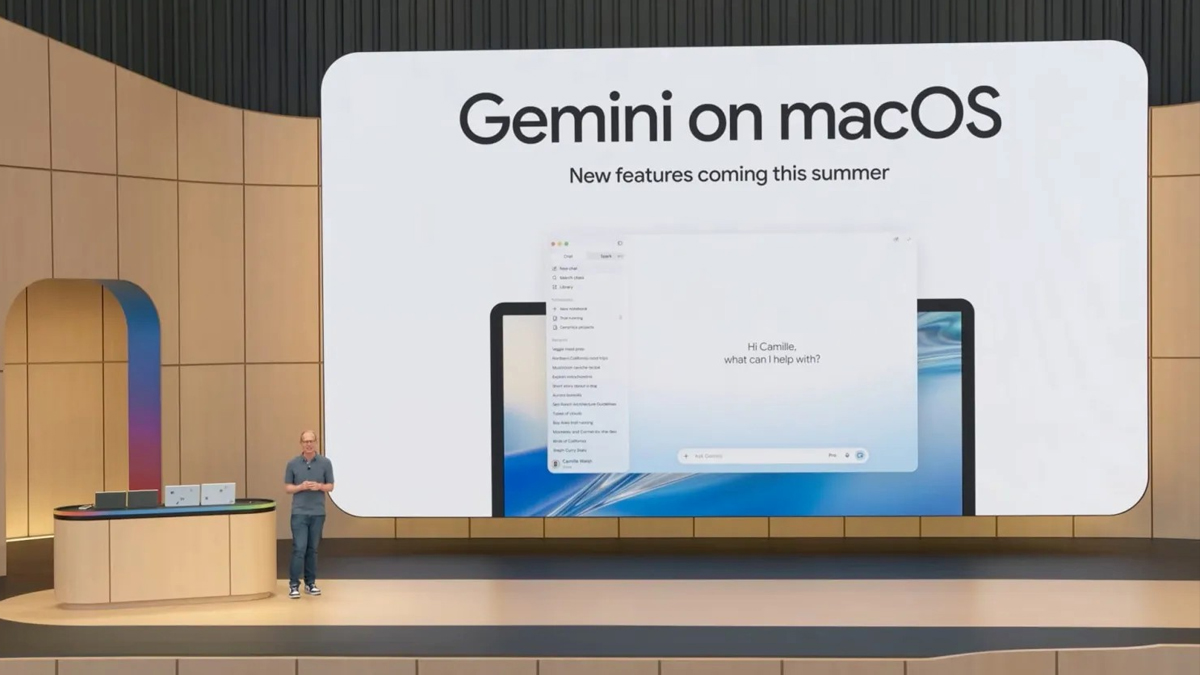
MUMBAI: The next time your computer has a mountain of busywork, you may not have to lift a finger. Google is giving Gemini a set of virtual hands, introducing a computer-use capability that allows its AI assistant to operate desktop applications, browse websites and work with local files to complete tasks on a user’s behalf.
Announced on Thursday, the feature moves Gemini beyond answering questions and generating content to actually interacting with a computer. Users can describe what they want done, and the assistant can then click through menus, enter information, navigate interfaces and switch between applications to carry out multi-step activities.
The idea is to take repetitive computer-based work off users’ hands, particularly tasks that involve moving information between different applications. Instead of manually opening files, copying details, filling in forms and organising the results, users can delegate the process to Gemini.
The assistant operates in a separate background window, while a live view of its activity appears within the Gemini chat. This means users can continue working on their primary screen, whether they are typing, designing or attending calls, as the AI handles the assigned task in the background.
However, Google is not giving the assistant an entirely free hand. Users can decide which applications Gemini is allowed to access, monitor what it is doing and interrupt the process whenever necessary. The system also requires user approval before certain actions are carried out.
Google is positioning computer use as a tool for both creative and administrative work, with applications ranging from processing photographs to extracting information from documents.
For creative professionals, Gemini can handle batches of photographs through colour-grading software and help put together complex 3D scenes. One demonstration showed the assistant taking a child’s drawing of a butterfly, turning it into a 3D model and rigging it using Blender.
That could make workflows involving several software tools less time-consuming. Rather than manually transferring files and adjusting settings at every stage, users can describe the desired outcome and let Gemini navigate the relevant applications.
The feature also has more everyday uses. Consider a business that needs to prepare shipping quotations using information scattered across multiple PDF documents. Gemini can extract details such as product weights, measurements and addresses from locally stored files, then use that information to complete the relevant quotation forms.
It can also help turn data into presentations. Google demonstrated how the assistant could gather figures and screenshots from live dashboards covering different regions and organise the information into a presentation using Google Slides.
For people selling products online, Gemini could help prepare multiple resale listings. It can examine photographs stored in a local folder, research prices, record product information and prepare listings for the relevant platforms.
These examples point to a broader shift in how AI assistants are being positioned. Rather than simply generating a response to a prompt, they are increasingly expected to carry out the sequence of actions needed to deliver a finished result.
One of the more significant aspects of Google’s implementation is the ability to run Gemini in the background while users continue with other work.
The live activity view provides visibility into what the assistant is doing, rather than leaving users to wonder which applications it has opened or what information it is processing. Application-level permissions also give users control over where the AI can operate.
The ability to interrupt a task is particularly important because computer-use agents interact with real applications and files. An incorrect click or an unintended action could affect a document, a listing or a workflow. Google’s approval controls are intended to keep users involved when certain actions require their authorisation.
The feature nevertheless raises questions around the level of access users are comfortable giving an AI assistant. Allowing an agent to navigate applications and inspect local files can save time, but it also makes permission controls and visibility into its activity essential.
Google is initially rolling out computer use in English to users in the US through its Gemini application for Mac. Access requires a Google AI Plus, Pro or Ultra subscription.
The company has not announced when the capability will reach other countries or platforms, leaving Mac users outside the US waiting for further details.
The launch comes as competition in the AI agent market gathers pace. OpenAI, Anthropic and Meta have also introduced agent-based capabilities designed to help assistants perform tasks on users’ computers.
The distinction between an AI chatbot and an AI agent is becoming increasingly clear. A chatbot can tell a user how to complete a task; an agent is designed to navigate the software and do the work itself.
With Gemini’s computer-use capability, Google is taking another step towards that model. The real test, however, will be how reliably the assistant handles complicated workflows, how much control users retain and whether the time saved outweighs the need to supervise the AI.