Resources
Sameer Nair wants Indian storytelling to stop playing it safe
The Applause Entertainment boss says the industry must tell stories it “isn’t supposed to tell” to break out of its domestic bubble

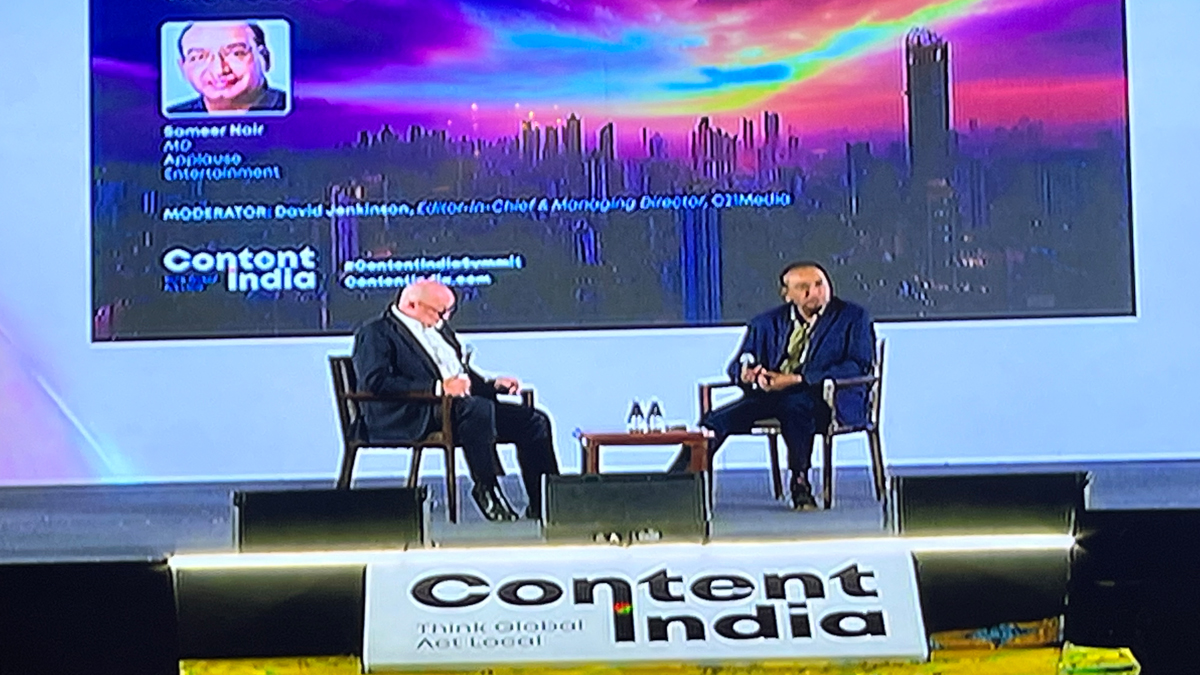
MUMBAI: Indian content has a domestic comfort problem. That, in essence, was the diagnosis Sameer Nair, managing director of Applause Entertainment, offered at Content India 2026, a fireside conversation at Taj Lands End in Mumbai that touched on micro-dramas, AI animation, data-driven formulae and the stubbornly local character of Indian streaming.
Nair was characteristically candid. India’s content industry, he argued, has historically been too busy feeding a vast domestic market to bother going global. “The crossover that happens is really to the Indian diaspora rather than to the non-Indian area,” he said. Streaming changes that equation, he added, but only if Indian creators are willing to compete on production quality with the shows sitting two slots away on a global platform.
At Applause, the pivot is already under way. The company, best known for premium scripted drama, is now moving into films. “Movies give you theatrical, a sense of electric revenue, you can expand the business a lot more,” Nair said. Animation is also on the agenda, though the approach has shifted sharply. “We spent some time trying to develop traditional animation. But now we are doing it using AI. That’s been a key pivot.”

Micro-drama is next on the list. Nair admitted to being something of a convert, confessing he had lost 20 to 30 minutes to a show about a CEO fighting off a boardroom coup before he knew what had happened. The format, which has exploded out of China and is now sweeping the US and UK, appeals to him precisely because it demolishes the myth of the shrinking attention span. Audiences, he argued, will watch a game of cricket for three hours or sit through a glacial episode of Landman without complaint, as long as the content holds them.
On data, Nair was sceptical of the industry’s growing addiction to algorithms. Data spots patterns, he acknowledged, but audiences spot patterns too. “Whatever data sees as a trend, audiences are also catching up with it.” The result, he warned, is a drift towards formula, and formula, however reliable, eventually bores people. His counterexample was Adolescence, the stripped-back Netflix drama that topped the platform’s India charts. “It went small but it went really deep. You don’t have to have a massive canvas to paint a picture.”
The commercial reality behind all of this was not lost on him. With most streamers outside Netflix still loss-making, the industry is caught between the prestige model that built streaming and the harder-working, lower-cost programming that platforms increasingly want. “Content creation can’t be a charitable exercise,” he said. “There must be profit because then that sort of goes back home.”
On the bigger question of geopolitics and what audiences want from their screens in unsettled times, Nair offered a characteristically sly answer. The job, he said, is to tell stories that “you’re not supposed to tell, but tell them anyway.”
For an industry that has spent decades telling people what they want to hear, that may be the most radical proposal of all.







Jobs
foundit appoints Tarun Sinha as chief executive officer
New chief bets on tech, personalisation and expansion across APAC and Middle East
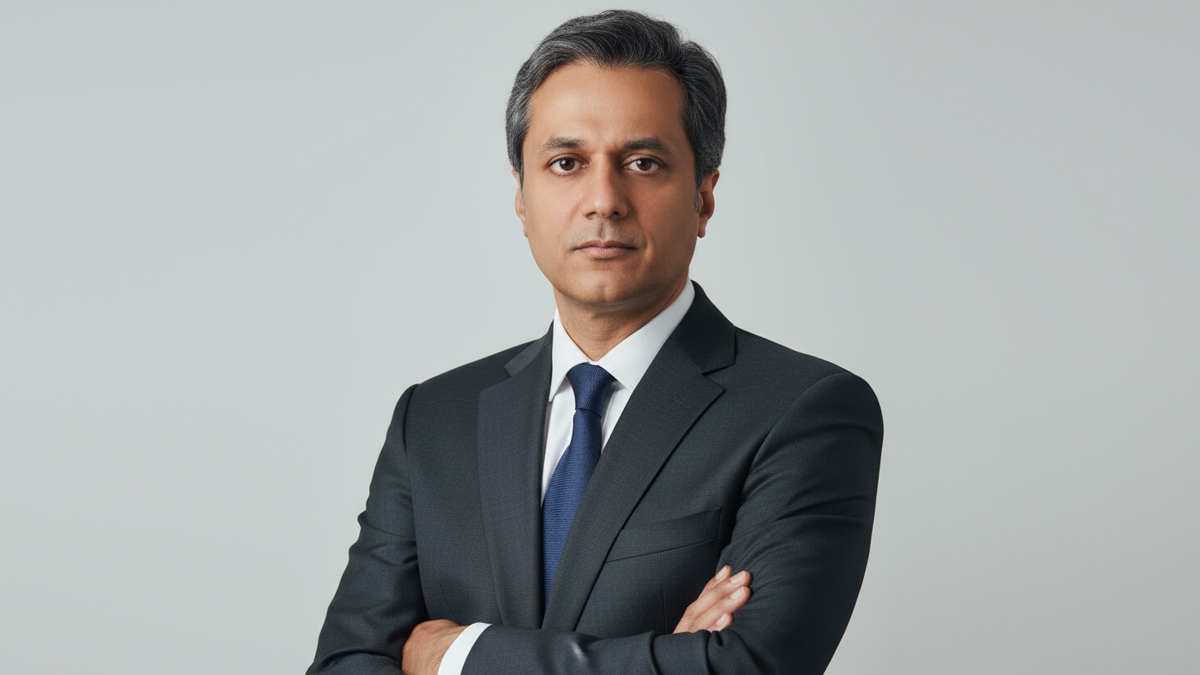
BENGALURU: foundit has named Tarun Sinha as its new chief executive, signalling a sharper push on AI-led innovation and market expansion as competition heats up in the HR tech space.
Sinha, a digital business veteran with over two decades of experience, steps in at a pivotal moment for the jobs platform, formerly Monster APAC and ME. He previously held senior roles at BetterPlace, OLX/Naspers and Times Internet, where he drove scale, product innovation and market growth.
“I am thrilled to join foundit at such a pivotal moment in the global talent ecosystem,” said Tarun Sinha. “foundit has built a strong foundation as a trusted platform connecting talent with meaningful opportunities. My focus will be to accelerate technology-led innovation, deepen personalisation, and leverage advanced, data-driven solutions to deliver unmatched value for job seekers and employers alike.”
The appointment underscores foundit’s ambition to cement its leadership in the talent platform market, with a renewed focus on AI capabilities, enhanced user experience and tailored recruitment solutions for the evolving needs of APAC and the Middle East.
The company, which has connected over 120 million job seekers across 18 countries, is doubling down on deep tech to sharpen hyper-personalised job searches and precision hiring.
With Sinha at the helm, foundit is looking to move faster, think sharper and compete harder in a market where the war for talent is only getting more intense.