Education
Top Innovative Video Marketing Trends for 2020

With the COVID-19 pandemic occupying most of 2020, many businesses have had to suffer its dire consequences. Companies have had to shut down, people have lost their jobs, and the economies of countries have gone down by leaps and bounds. With the economy slowly coming back on track, businesses are having to pull themselves up by the bootstraps. Many businesses that have been operating on a loss or not operating at all are having to stand up once again and start operating. The scales of these businesses have reduced considerably, and this has meant that a lot less budget allocation can be done to secondary purposes such as marketing and advertising. This means that alternative marketing methods need to be thought of, such as video marketing. A number of trends have emerged as a response to all of this. The following list contains a list of the major trends of 2020.
1. Live Videos: A few years ago, nobody would’ve thought that live video of any kind would garner the kind of viewership it does now. Live was supposed to be majorly for sports and news. However, with Facebook and YouTube live feeds garnering attention, multiple social media apps have started the option to go live through your mobile phone. A number of question and answer sessions or even interviews are now held between highly followed accounts and their followers.
2. Video Shopping: A new trend that has emerged in 2020 is that of videos containing links to the poster’s products. The video itself is a novel piece of content but is interspersed with ads and product placement. If the viewer is interested in the content being advertised, he does not need to go search for the product. All he needs to do is click on the link in the video itself, and he will be taken to the website where he may purchase the product.

3. 360 Videos: Up to now, 360-degree videos have been among the biggest duds of the internet. This type of video simply does not have any takers, especially on desktops and laptops. This is because the penetration of VR headsets is shallow at this point. However, some big technology players have been hedging their bets on 360-degree videos being the future.
4. One to One Videos: With the end of the pandemic nowhere in sight, it is safe to assume that most office work of the future will take place remotely. Even after the pandemic, economics might dictate that most office work now takes place in the work from home fashion. This will mean that video conferencing is the way to go for the future, whether for a meeting or marketing.
5. Vlogging: Vlogging is not seen by many as the best type of content. It is looked down upon as it is seen as too easy and convenient. Vlogging is generally done even by YouTube celebrities on a secondary channel, and not seen as capable of billing as a primary piece of content. However, as the viewership of vlogging continues to increase, it does seem like marketing through vlogging is also a trend that will continue at least shortly.
6. Finding Videos: Video has undoubtedly become the primary form of content over the past few years. The importance of the written word has decreased with a decrease in attention spans, and that of videos has increased. This is likely to mean that searching for videos will become even more convenient in the future.
7. Training: The pandemic has meant a loss of jobs for many people. Those who have not been able to find an alternative job have generally had to resort to training through online courses. A large number of companies have come up in 2020, which provides completely online training in anything from languages to coding. This is likely to continue in the future as well.
8. Short Videos: All social media platforms have come up with their version of Instagram stories. Facebook has its own stories, and Twitter has also come up with Fleets. This is because people’s reduced attention spans have meant that they enjoy shorter form videos and still images a lot more than they do other content.
9. More Video Platforms: In the previous century, many made the mistake of considering the Ford Motor Company the be-all and end-all of car manufacturing. Today, it is hardly seen on the roads. Similarly, YouTube is not likely to forever remain the leader in video platforms. There will be a lot more video platforms in the future, all attempting to eat into the sizable lead of YouTube.
10. Autoplay: If you’re outdoors with no earphones and need to watch a video, what do you do? You watch it in silence with subtitles, of course. This was a feature first introduced by Facebook, but all video platforms have slowly caught up with it. It is hence always important to add subtitles to your videos so that they can be watched in silent mode.
11. Video Ads: Video ads are likely to increase in the future and become even more pestering than they currently are. This is because these ads are the major form of revenue for video platforms.
12. Explainers: Explainers are likely to be the most-watched video format of the future. The explainer format has started to garner much more support in 2020, and the number of explainer videos has increased manifold. This trend is likely to continue as people are restricted from leaving their houses for regular services and try to learn more skills from the safety of their houses.
Hence, these were the major trends that have been observed in 2020 and are likely to continue. With this in mind, get prepared to see your business grown many times over!


Everyone has been turning their selfies into cartoon characters on social media lately. Our recent piece on how people are creating animated WhatsApp avatars for free proves just how fast these tools are catching on.
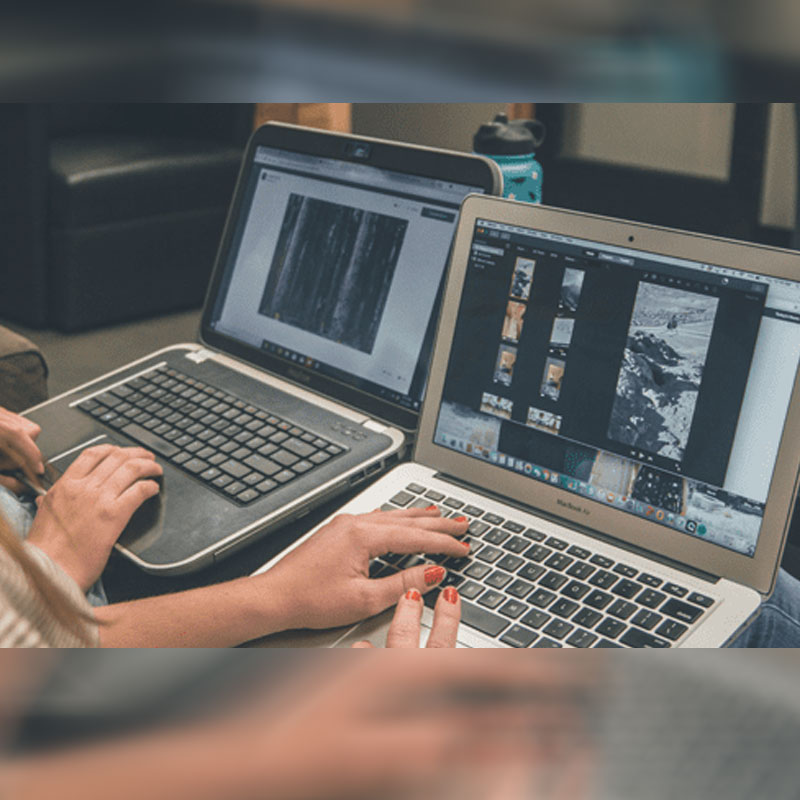
But beyond all the fun filters and fast effects, there’s a larger narrative at play here, and that is that AI is revolutionising the way people edit photos. What used to take hours or even days in the past can be done in minutes with a few clicks, and you don’t need to have advanced design skills to get the job done either.
Here’s a look at some of the best AI tools that are making photo editing faster, smarter, and more enjoyable whether you’re a creative or simply someone who is looking to have some fun with your photos.
- Photoshop’s AI Photo Tools: Speed and Precision
Most people know Adobe Photoshop as the go-to program for editing images, but its latest AI features take things to a whole new level. Photoshop’s new AI-powered features can automatically identify faces, exposure, and colour issues, fixing them with the click of a button. The neural filters are especially clever, enabling you to smooth skin, modify facial expressions, swap backgrounds and even manipulate lighting to make everything look more natural.
With the integration of these new tools, what used to take a seasoned editor 30 minutes can now be accomplished in seconds, freeing up your time so you can focus on the creative side of things. Whether you’re editing portraits, creating graphics or resizing images for social media, Photoshop’s AI photo tools help to achieve that clean professional finish without the hassle of manual tweaking. It’s one of the best ways to give your photos a polished, cohesive look, even if you don’t consider yourself a pro yet.
- Lightroom: Simplify Bulk Edits and Maintain Consistency
If you’ve ever wondered how photographers maintain the same feel across hundreds of shots, Adobe Lightroom is the answer. Adobe Lightroom is an industry-standard photo management and editing app built for speed, helping you organise, adjust, and fine-tune large batches of images without getting lost in layers or complex tools. Most if not all professional photographers use Lightroom to edit photos before the final shots are sent on to their clients.
Like Photoshop, Lightroom’s built-in AI editing tools can be used for a wide variety of applications, including automatically detecting your subject and adjusting the exposure, colour and tone so every shot looks balanced. You can even apply the same “look” to an entire collection, making it great for projects that rely on consistent visuals – think wedding photos, product shots for an eCommerce website, or social media posts.
And speaking of social media, Lightroom is especially useful for content creators who want a clean, uniform look to their Insta grid or feed without spending hours editing each image individually. In short, Lightroom keeps your workflow simple, but your results professional.
- Sensei-Powered Auto Tagging and Smart Search
Organising photos can become messy and annoying quickly, especially if you have hundreds of folders full of similar shots. That’s where Adobe Sensei comes in. You might not have heard of it by name, but you’ve probably used this tool without even realising you have. How so? Because Adobe Sensei is the AI engine that runs quietly in the background across Photoshop, Lightroom, and other Adobe Creative Cloud apps. This innovative AI engine is programmed to facilitate a wide variety of processes, including facial recognition, recognising objects, and sorting your photos automatically.
Alongside being used for auto tagging elements in images, Sensei is also adept at using image metadata to organise your photo library, and make it even easier to find specific shots with typed search prompts. Say goodbye to searching through dozens of files trying to remember what you named them — just type in something like “beach” or “red dress” and your shot will pop up instantly. For anyone who shoots a lot or manages content libraries, Adobe Sensei’s generative AI engine makes organising photos simple and stress-free.
- Adobe Firefly: Intelligent Background and Object Replacement
Sometimes you take a great photo, but there’s one thing that ruins it. Maybe it’s an awkward background, an annoying photobomber, or a sky that just looks a bit blah. That’s where Adobe Firefly comes in. With this generative AI tool by Adobe, you can simply highlight the problem areas in your images and type in what you’d like instead, and it will make the changes for you. You could trade a dull sky for a sunset, introduce a gentle blur behind your subject or eliminate distractions entirely.
But it’s not just about fixing mistakes. Firefly is also fantastic for experimenting. You can change the feel of a shot, create atmosphere, or build new visuals for marketing and social media all without starting again from scratch. It’s an easy trick that makes photos look more purposeful and artistic, even if you’re starting off with something that looks average.
- Camera Raw: Smarter Corrections Right from the Start
Every photographer or creator knows that editing starts well before you get to the fun filters. Camera Raw’s built-in AI tools quietly sort out the basics so you don’t have to. These innovative AI tools fix lighting, balance colours, and pull detail back from shadows or overexposed spots. It even cleans up grainy low-light shots and straightens out lens distortion without much effort on your end.
For photographers and hobbyists, using Camera Raw’s AI tools just makes image processing easier, particularly for images that require only minor tweaks and adjustments. The attention to detail of Camera Raw’s editing tools makes autocorrecting blemishes, red eyes, and other small details across digital photography quick and efficient, supporting photographers and content creators in getting their image assets publication-ready.
- Adobe Express: Quick Edits for Social Media
Finally, not every photo edit has to be a full studio production. As this tool’s name suggests, Adobe Express is designed to be quick: you can trim, crop, and colour-correct your posts for social media in a matter of minutes. The AI auto-adjust tools detect the subject and optimise brightness, sharpness, and background balance without you having to do much.
Adobe Express is perfect for influencers, small businesses or creators who post daily content, stories and want to remain active on social media without having to spend hours editing content. You can create multiple versions of one image for different social media platforms and keep everything looking cohesive across your feed. It’s simple, practical, and exactly what you need when you want to share something polished without overthinking it.
Use these AI Tools to Elevate your Photo Editing
Editing photos has never been easier. With AI taking care of the technical fixes like lighting, colour, and cleanup, you get more room to focus on the creative side. Whether it’s for work, social media, or just something fun to share, these tools help you turn everyday photos into something worth keeping.
What really matters is experimenting and finding what feels right for your style. The tech is there to make the process faster, but the creative choices are still all yours. So have fun, experiment, and you just might be pleasantly surprised with the results!