iWorld
Delhi HC justice DN Patel appointed as chairperson of TDSAT

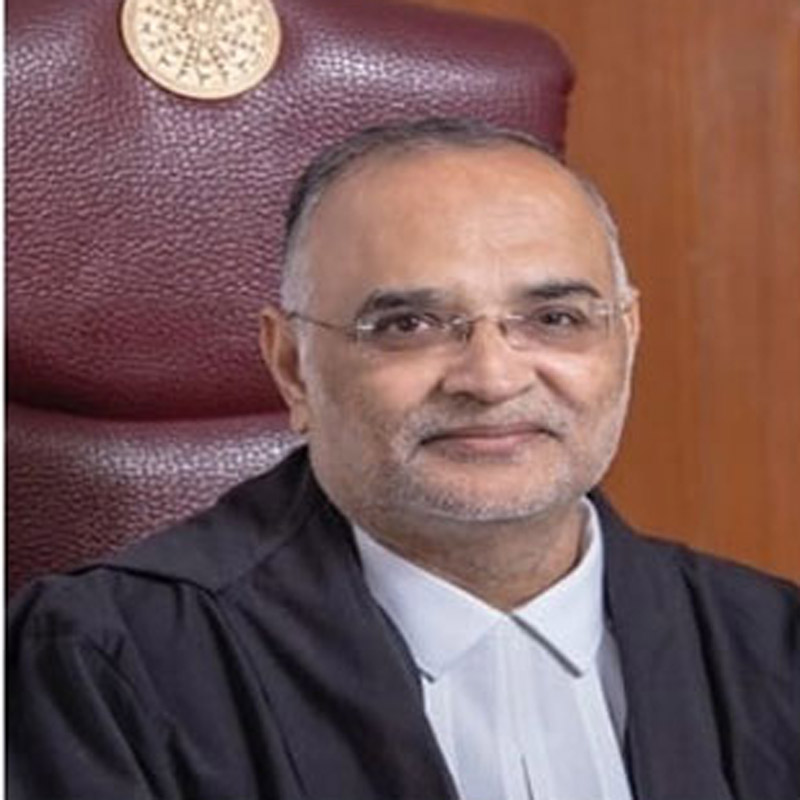
Mumbai: The central government has appointed Delhi HC justice DN Patel to the post of chairperson of Telecom Disputes Settlement and Appellate Tribunal (TDSAT) for a period of four years. Patel was appointed chief justice of Delhi high court on 7 June 2019.
Notification issued by the law and justice ministry in this regard stated, “As approved by the appointments committee of the cabinet, the central government hereby appoints Justice D.N. Patel , chief justice of Delhi high court to the post of chairperson, Telecom Disputes Settlement and Appellate Tribunal, for a period of 04 years from the date of assumption of charge of the post, or till attaining the age of 70 years, or until further orders, whichever is the earliest.”
“The conditions of service of Justice DN Patel as chairperson in the Telecom Disputes Settlement and Appellate Tribunal shall be governed by the provisions of the Tribunals Reforms Act, 2021 and the Tribunal (Conditions of Service) Rules, 2021,” it added.

Prior to Delhi HC, Justice DN Patel served as acting chief justice of the Jharkhand high court and also as the judge of Jharkhand high court and Gujarat high court.
Patel enrolled as an advocate in 1984, practicing at the Gujarat HC. He practiced in civil, criminal, and constitutional matters as well excise and customs on behalf of the Union of India at the Gujarat HC. He was appointed as special counsel of the state of Gujarat in other high courts.







iWorld
Inside Studio Blo: Meet Joel James the boy who codes by day and composes by night
The 23-year-old co-founder rewriting India’s AI film story, one algorithm and arpeggio at a time
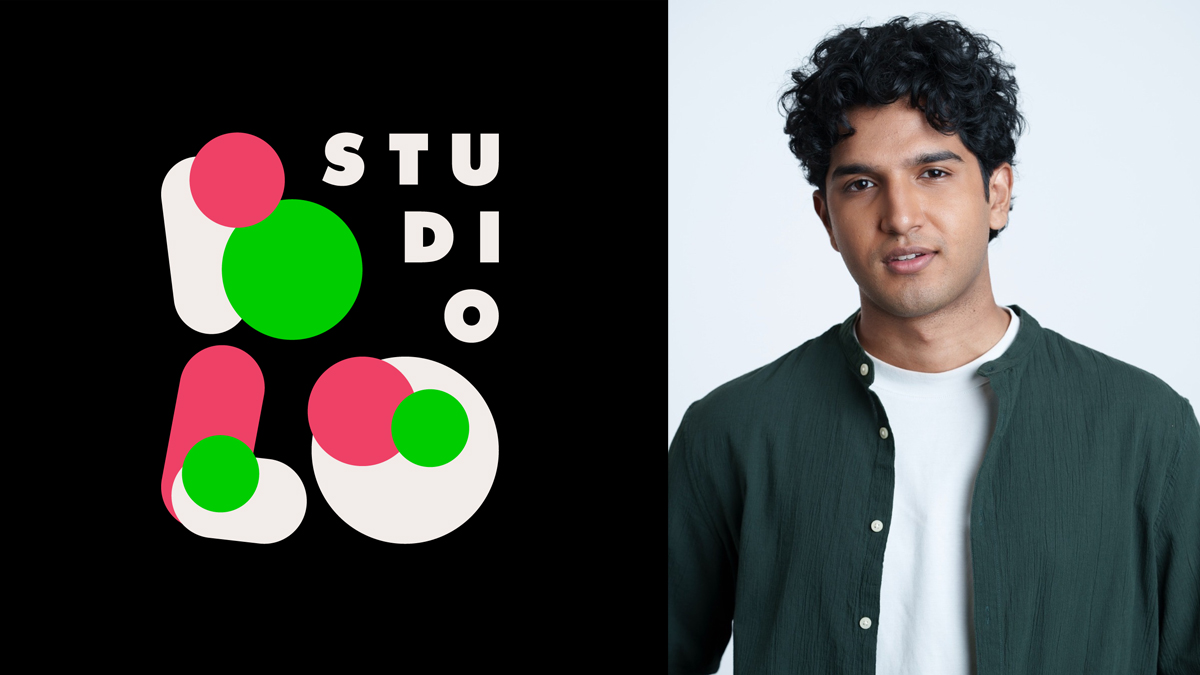
MUMBAI: Here is a fun riddle: What do you get when you cross a coder with a composer, hand him a film studio, and let him loose on Hindi cinema? The answer, apparently, is Joel James, co-founder and chief of innovation at Studio Blo, India’s pioneering AI film studio. At 23, he is only just warming up.
Ask him how his two worlds, music and technology, manage to coexist without one swallowing the other, and he barely pauses. “They’re more connected than they sound,” he says. “Music is essentially programming, it’s all about patterns. Since day one, I’ve been drawn to finding patterns. In music, it’s about discovering patterns that make people groove, and in tech, it’s about building efficient patterns that make things work. One is emotional, the other is functional, but both come from the same instinct.”
That instinct, it turns out, is rather a useful one to have when your job is to convince an entire creative industry that the robot is not coming for its lunch.
“AI doesn’t replace creativity, it reduces friction.”
The conversation around artificial intelligence and the arts has, for some years now, produced more heat than light. Artists worry. Labels panic. Op-ed writers have a field day. James finds it all slightly beside the point. “Every generation has had tools that were initially seen as shortcuts, synths, sampling, autotune, but they eventually became part of the creative language,” he says. “AI is no different.”
He has a case study to hand. While scoring a feature film, he used AI to explore four distinct choir styles from different regions of India before settling on recording an actual choir in the North East. “AI helped us get there faster,” he explains. “It let us test, iterate, and refine instead of guessing for weeks.” The point, he insists, is not that AI created something impossible. It is that it let him fail fast, test an idea, discard it, and try again, without the usual cost in time and money that makes experimentation a luxury most productions cannot afford.
The synth did not kill the guitarist. The loop pedal did not bury the drummer. AI, James argues, is simply the newest instrument in a very long orchestra, except this one occasionally surprises you.
“There have been moments where AI generates something slightly off, like a vocal texture that isn’t perfect but has character,” he says, with what sounds like genuine affection for the glitch. “Those imperfections can feel very human. I’ve used a few of those because they add unpredictability and texture that I might not have created intentionally.” The machine makes a mistake; the composer hears music. It is, in its way, a rather elegant partnership.
“Creators often lose momentum because production can be slow, expensive, or technically complex.”
This philosophy, that the best technology is the kind that gets out of your way, shapes everything Studio Blo is trying to do. “The biggest problem is friction between idea and execution,” James says. “At Studio Blo, we focus on fixing the boring parts, streamlining tools and workflows so that directors and creators can focus purely on creating.” It is the unglamorous mission statement of a generation that grew up watching brilliant ideas die in pre-production, not for lack of talent, but for lack of time and money.
It is also what brought him to the table with Shekhar Kapur, the legendary filmmaker whose credits span continents and decades. The collaboration, James describes, is less a mentorship and more a genuine exchange. “Experience is honestly the new currency,” he says. “Someone like Shekhar sir brings decades of storytelling instinct and a completely different worldview shaped over time. What I bring is new energy and the ability to enable that storytelling through technology, and sometimes even express those stories through sound in a new way. The intersection of experience and new-age tools is where the magic happens.” At 23, that is either a very wise observation or a very good line. Possibly both.
James has also worked with artists in the UK, and the difference in attitude, he says, is telling. “Interestingly, India is more open in many ways. We move at light speed when it comes to adopting new things. There is still some resistance, but that’s natural. Globally, there’s curiosity mixed with caution, but Indian creators tend to adapt very quickly once they see real value.” Given that India has historically adopted, adapted, and made entirely its own everything from the tabla to the synthesiser, this ought to surprise precisely no one.
“The hardest part is just trying to look serious all the time.”
Running an AI film studio at an age when most of one’s peers are navigating their first performance reviews comes with its own particular pressures. James is refreshingly candid about them. “It’s more psychological than anything else,” he says. “My role is to take on the stress but not let it affect me when it actually matters. I approach it a bit like athletes my age do, staying mentally sharp without burning out.” He pauses, then grins. “And sometimes, the hardest part is just trying to look serious all the time.” Fair enough. Keeping a straight face while building the future does sound like a full-time job in itself.
For all his enthusiasm about what AI can do, James is clear-eyed about what it cannot. A million generated songs a minute, he says, will never replace the thing that makes music matter. “Volume doesn’t replace identity. What makes music special is perspective, your story, your taste, your cultural context. AI can generate options, but it can’t replicate lived experience.” And then, with the confidence of someone who has actually thought this through, “I genuinely believe live music is about to rise more than ever. In India especially, audiences are shifting toward live experiences, and that’s where authenticity really stands out.” A concert ticket, in other words, will always carry more feeling than a playlist. AI can fill your headphones; it cannot fill a room.
Which brings him to perhaps the most paradoxical of his projects, FAIMOUS, a platform using AI to protect artists from AI. As deepfakes grow slicker and voice-cloning becomes trivially easy, the Indian music industry faces an identity crisis, quite literally. “With FAIMOUS, the focus is on identity protection and controlled usage,” James says. “As AI makes replication easier, it’s critical to build systems where artists have ownership over their voice, likeness, and creative output. It’s about enabling ethical, authorised use, not just preventing misuse.” Using the tools of disruption to defend against disruption is a very 21st century sort of paradox, and one James appears entirely unbothered by.
“Just do the hard part, it’s not that deep.”
At the end of all of it, the choir experiments and the AI glitches, the legendary collaborators and the deepfake battles, the composing and the coding and the effort to look serious, we ask him what he would tell a young artist who is afraid that AI will take their job. He thinks for approximately no time at all.
“Just do the hard part, it’s not that deep.”
Five words, delivered with the easy confidence of someone who has already stopped worrying and started building. Which, when you think about it, is the most useful piece of career advice that any algorithm, artificial or otherwise, could ever generate.