Education
Introducing “Ramayana: The Journey of Sita and Rama”, an animated series for kids


Mumbai: Jumbaya, a visionary in educational entertainment, is thrilled to announce the launch of an extraordinary over 70-part read-along animated series titled “Ramayana: The Journey of Sita and Rama.” This groundbreaking series aims to bring the timeless tale of Valmiki’s Ramayana to life in an engaging and captivating manner, catering specifically to children aged 6-14 years.
In a world where children are increasingly absorbed by digital content and the allure of constant scrolling, “Ramayana: The Journey of Sita and Rama” stands out as a beacon of educational value and cultural enrichment. As a premier children’s storyteller, Jumbaya curates narratives rich in lessons, cultures, emotions, and values, aimed at nurturing the leaders of tomorrow. With a deep understanding of the modern educational landscape and a keen awareness of the drawbacks of highly stimulating animated content and superficial engagement, this series has been thoughtfully crafted to redirect young minds toward a more purposeful experience that nurtures empathy, loyalty, friendship, forgiveness, and much more.
At the heart of this remarkable endeavour are subject matter experts (SMEs) who collaborate with Jumbaya to craft enchanting narratives of revered epics such as Ramayana. Drawing on extensive eight months of research, the series ensures an authentic portrayal of Valmiki’s Ramayana while tailoring it to captivate the young minds of today. Presented as an animated read-along read-aloud storybook, this innovative approach offers children an immersive experience—simultaneously watching and reading the epic story. Jumbaya enhances this experience by incorporating same language subtitling (SLS), displaying spoken words as text on the screen. This helps children recognise the correlation between sounds and letters, further enhancing vocabulary and fostering a sense of autonomy in reading abilities. Each 6-10 minute episode is thoughtfully designed to sustain engagement, promote comprehension, and accommodate the shrinking attention span of children.

“We are thrilled to unveil ‘Ramayana: The journey of Sita and Rama,’ a series that reimagines how children experience and connect with our culture, history and ancient stories,” said Jumbaya CEO & founder Shailesh Prithani. “Our mission is to ignite young imaginations and foster a lifelong appreciation for our rich cultural heritage. Guided by rigorous research, we harness the power of technology to immerse children in the cultural treasures of our past. This is just the beginning of our journey; we are committed to unveiling a tapestry of awe-inspiring series in near future. Together, we are igniting the flames of curiosity and cultivating a lifelong love for learning, one captivating story at a time.”
As society embraces cultural diversity, parents are increasingly seeking ways to introduce their children to the rich heritage and traditions of the world. “Ramayana: The Journey of Sita and Rama” provides a powerful avenue for parents to impart the values and stories of their culture to their children and transport them to a world of heroic adventures, profound teachings, and vibrant characters. This series serves as a bridge between generations, enabling parents to share the timeless wisdom of epics and mythologies in a format that resonates with today’s tech-savvy youth.
“Ramayana: The journey of Sita and Rama,” an animated series that merges the magic of storytelling with the wonders of technology to create an unforgettable educational experience for young audiences, is now available for young minds to explore and enjoy.




Education
Scaler appoints new heads for its online and offline businesses
Amar Srivastava becomes chief executive of the online business and group chief product officer; Vidit Jain takes charge of the offline schools
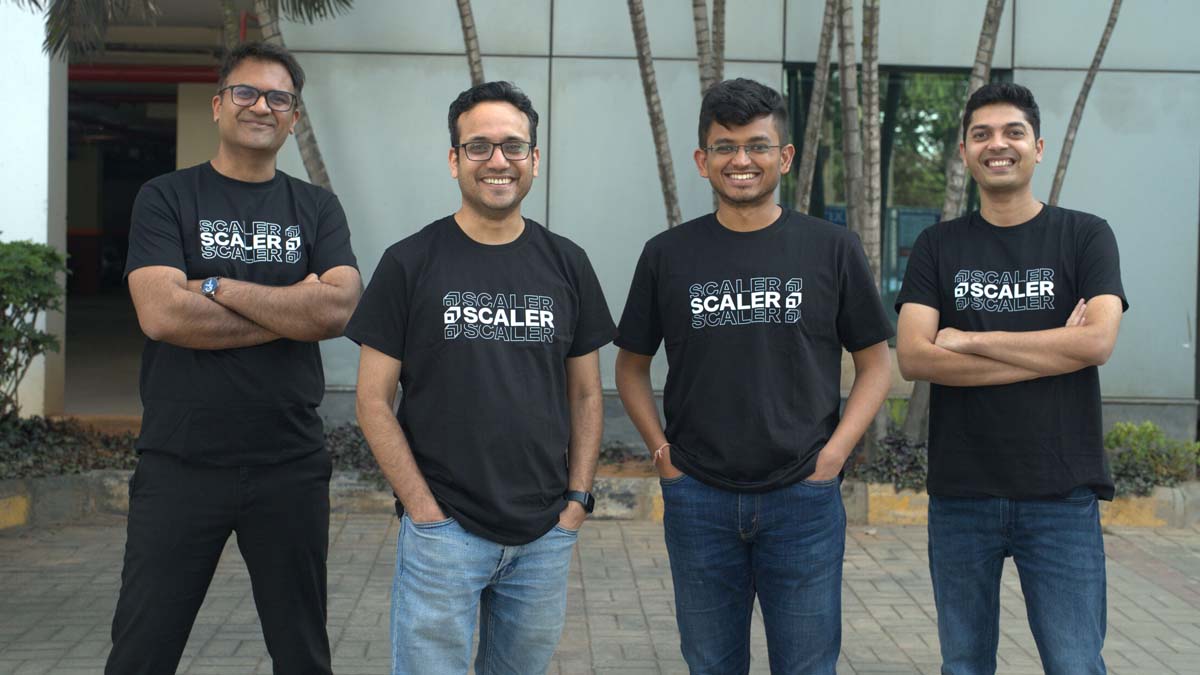
BENGALURU: Scaler is shuffling its top deck as the AI skilling race heats up. The Bengaluru-based tech education company has elevated two senior executives to lead its online and offline businesses, signalling a sharper push into an AI-driven market.
Amar Srivastava, previously senior vice president for product and business, has been appointed chief executive of the online business and group chief product officer. Vidit Jain has been elevated to senior vice president and head of Scaler School, taking charge of the company’s offline education units, the Scaler School of Business and the Scaler School of Technology.
The company has also recently appointed Ratnakar Reddy as head of enterprise for India and the Middle East and North Africa, with a brief to drive partnerships with governments and enterprises for AI-led skilling programmes.
Abhimanyu Saxena, co-founder of Scaler, said the promotions reflect the company’s confidence in both leaders and the direction it is heading. “Amar and Vidit have been central to Scaler’s journey, and their elevations reflect our conviction in their leadership and the direction we are shaping as a company,” he said. “With leadership now in place across the business, we remain focused on building engineers the world’s best companies want to hire. In an AI-first economy, that mission is more urgent and more achievable than ever. Our next chapter is centred on building an AI-native workforce from India, equipped to compete in a technology-driven global economy.”
Srivastava brings over a decade of experience building education-focused ventures. He previously founded Intellify and was part of the early team at Doubtnut. At Scaler, he will lead the online business with a focus on growth, profitability and expansion into new segments, while strengthening the product ecosystem across the group. He is blunt about what the AI economy actually needs. “The AI economy does not have a shortage of tools. It has a shortage of engineers who can think clearly, build reliably, and keep learning as the ground shifts. That is what we are building toward,” he said.
Jain brings more than 15 years of experience across startups and consulting, including stints at MPL and McKinsey and Company. He will oversee growth and profitability of Scaler’s offline business. His priorities are immediate and unambiguous. “The offline experience is where depth gets built, and that depth is critical in the AI era. Over the next 12 months, our focus will be on consistent growth, stronger unit economics, and delivering outcomes for students while building long-term employer partnerships,” he said.
Founded in 2019, Scaler is valued at $710 million and backed by Peak XV Partners, Tiger Global and Lightrock India. Its parent firm, InterviewBit, has featured on the Financial Times’ Asia Pacific High Growth Companies rankings every year from 2021 to 2025. On average, Scaler’s learners see a 4.5x return on investment and a salary increase of around 126 per cent.
With leadership locked in across every business unit, Scaler is betting that the next wave of global tech hiring will be won or lost on the quality of engineers coming out of India. It is a big bet. But the numbers, and the promotions, suggest the company is in no mood to hedge.