Education
Amish Tripathi awarded honorary doctorate by University of York


YORK: Bestselling author and former diplomat Amish Tripathi has added a new title to his name, Doctor of the University.
The University of York in the United Kingdom has conferred on Tripathi an honorary doctorate, honouris causa, recognising his contribution to Indian literature and his role in carrying Indian culture to audiences around the world.
In its citation, the University described Tripathi as the fastest-selling author in Indian publishing history. His 12 books have sold over eight million copies globally, earning him a regular place on Forbes India’s list of influential celebrities.

Beyond the printed page, Tripathi is a familiar voice and face to viewers. A seasoned broadcaster, he has hosted acclaimed documentaries, including the award-winning Legends of the Ramayan. He is also co-founder of Tara Gaming, the studio behind Age of Bhaarat, billed as India’s first AAA video game. Before returning to full-time creative work, he served as minister for Culture and Education at the Indian High Commission in London.
The honorary degree was presented at the University of York’s winter graduation ceremony in the second week of January 2026, in the presence of students, faculty and guests from across the world. In awarding the honour, the University praised Tripathi for deepening global understanding of Indian values, traditions and storytelling.
He was joined in this year’s roll of honour by three other distinguished figures: renowned mathematician professor Simon Donaldson, ecologist professor Sue Hartley OBE, and dame Amanda Blanc DBE, group chief executive officer of Aviva.
The University of York awards its honorary doctorates to individuals whose achievements show exceptional distinction and reflect the institution’s values. For Tripathi, it marks another chapter in a career that continues to blend myth, modernity and meaningful dialogue across cultures.







Education
Scaler appoints new heads for its online and offline businesses
Amar Srivastava becomes chief executive of the online business and group chief product officer; Vidit Jain takes charge of the offline schools
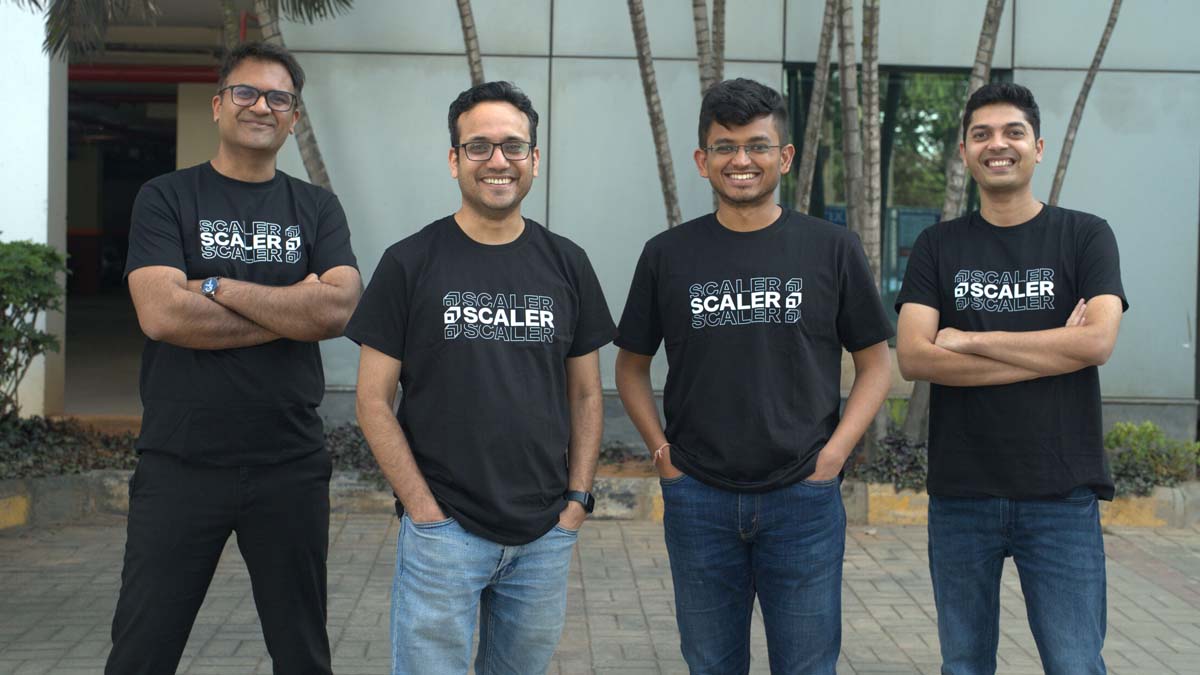
BENGALURU: Scaler is shuffling its top deck as the AI skilling race heats up. The Bengaluru-based tech education company has elevated two senior executives to lead its online and offline businesses, signalling a sharper push into an AI-driven market.
Amar Srivastava, previously senior vice president for product and business, has been appointed chief executive of the online business and group chief product officer. Vidit Jain has been elevated to senior vice president and head of Scaler School, taking charge of the company’s offline education units, the Scaler School of Business and the Scaler School of Technology.
The company has also recently appointed Ratnakar Reddy as head of enterprise for India and the Middle East and North Africa, with a brief to drive partnerships with governments and enterprises for AI-led skilling programmes.
Abhimanyu Saxena, co-founder of Scaler, said the promotions reflect the company’s confidence in both leaders and the direction it is heading. “Amar and Vidit have been central to Scaler’s journey, and their elevations reflect our conviction in their leadership and the direction we are shaping as a company,” he said. “With leadership now in place across the business, we remain focused on building engineers the world’s best companies want to hire. In an AI-first economy, that mission is more urgent and more achievable than ever. Our next chapter is centred on building an AI-native workforce from India, equipped to compete in a technology-driven global economy.”
Srivastava brings over a decade of experience building education-focused ventures. He previously founded Intellify and was part of the early team at Doubtnut. At Scaler, he will lead the online business with a focus on growth, profitability and expansion into new segments, while strengthening the product ecosystem across the group. He is blunt about what the AI economy actually needs. “The AI economy does not have a shortage of tools. It has a shortage of engineers who can think clearly, build reliably, and keep learning as the ground shifts. That is what we are building toward,” he said.
Jain brings more than 15 years of experience across startups and consulting, including stints at MPL and McKinsey and Company. He will oversee growth and profitability of Scaler’s offline business. His priorities are immediate and unambiguous. “The offline experience is where depth gets built, and that depth is critical in the AI era. Over the next 12 months, our focus will be on consistent growth, stronger unit economics, and delivering outcomes for students while building long-term employer partnerships,” he said.
Founded in 2019, Scaler is valued at $710 million and backed by Peak XV Partners, Tiger Global and Lightrock India. Its parent firm, InterviewBit, has featured on the Financial Times’ Asia Pacific High Growth Companies rankings every year from 2021 to 2025. On average, Scaler’s learners see a 4.5x return on investment and a salary increase of around 126 per cent.
With leadership locked in across every business unit, Scaler is betting that the next wave of global tech hiring will be won or lost on the quality of engineers coming out of India. It is a big bet. But the numbers, and the promotions, suggest the company is in no mood to hedge.